Test Team Configurations
Once you've updated your team or agent settings, it's important to validate that the changes are working as expected.
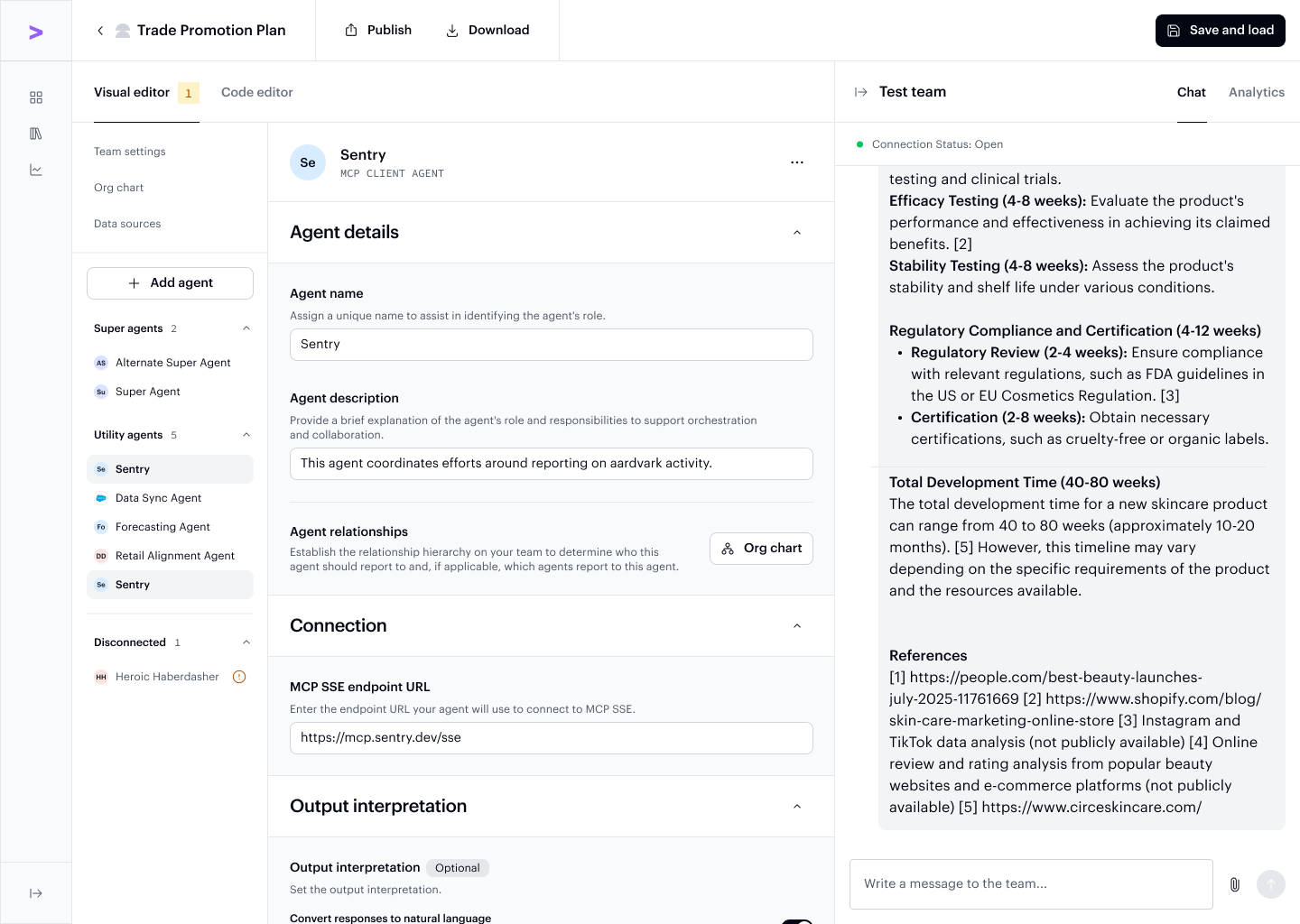
Click the "Save and load" button to load the latest configuration of the team into the test panel. Testing allows you to see how different configurations influence agent behavior, response time and quality, and overall team performance. By interacting with your agents and reviewing their outputs, you can confirm whether your adjustments are driving the desired outcomes before moving into real-world use.
Chat
Use the integrated chat interface to directly interact with your agents after loading a configuration. This allows you to:
- Simulate real conversations
- Validate behavioral adjustments
- Quickly spot whether inputs and outputs align with your expectations
If there are errors in your team's configuration, SDK errors will appear directly in Chat, helping you identify the issue so you can make the necessary adjustments.
The Chat panel sits alongside the agent configuration view, so you can update settings and immediately test the effect without switching contexts.
Analytics
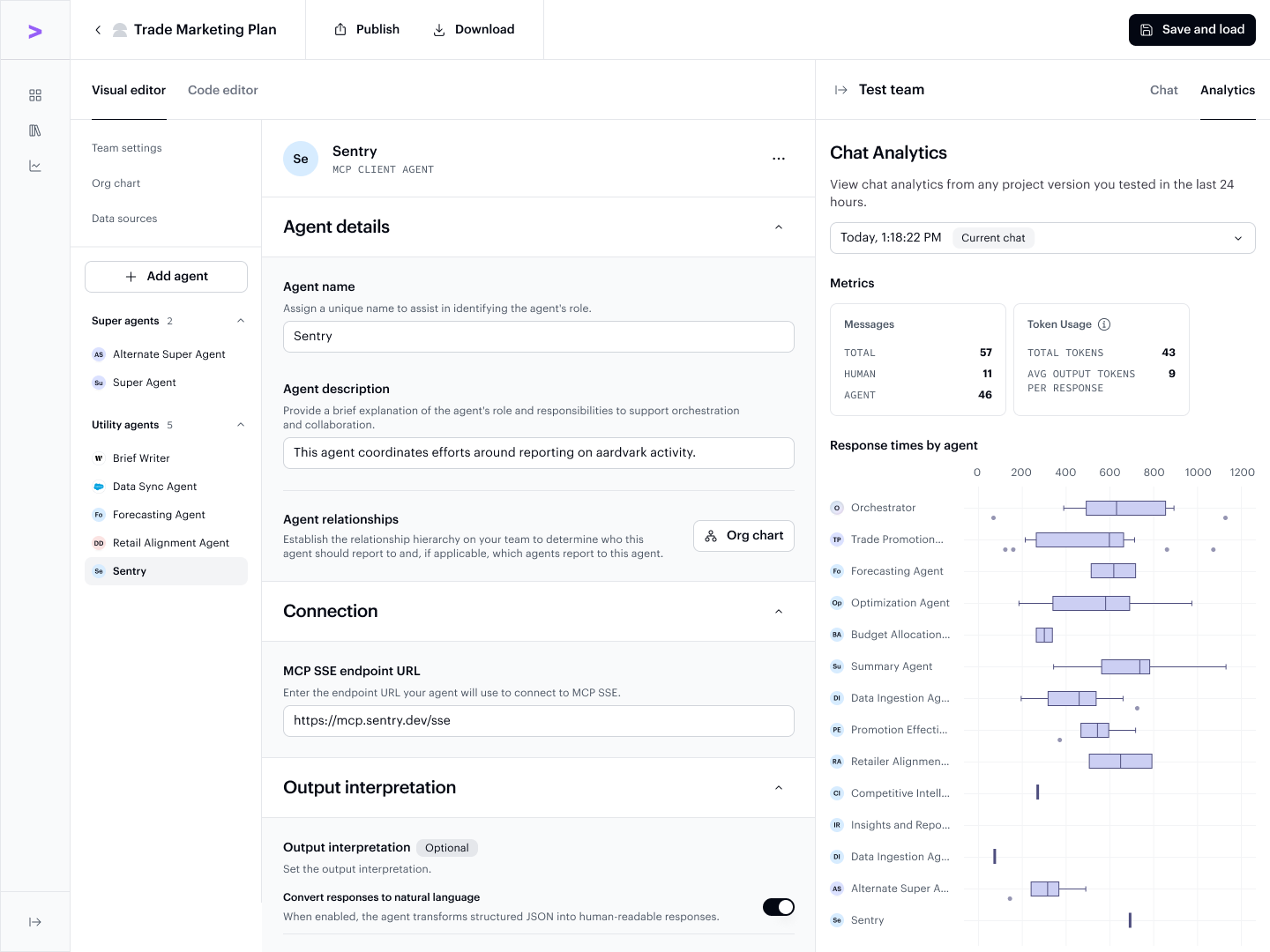
After chatting with your agents, review performance metrics and insights through the analytics panel for that session. This helps you identify strengths, gaps, and opportunities for further refinement as you work.
The Analytics tab breaks down response times by agent, so you can see exactly which agents in the team are contributing most to latency or where the orchestration overhead is coming from.
Next step
Once your team is working as expected, you can export it for use with the AI Refinery® SDK.