Generate & Use API Keys
API keys allow you to securely access your agent teams outside of AI Refinery® Studio for use directly with the AI Refinery® SDK. They provide a way for external applications or scripts to interact with your configured agents programmatically.
Studio usage is covered automatically
When working inside Studio, your organization's API access is handled automatically — you do not need to generate a personal API key to use Studio itself. The keys on this page are for integrating with the SDK outside of Studio.
For more information on generating your API keys, visit the Create Your AI Refinery® API Key page. The keys you generate there are the same credentials used when working with the AI Refinery® SDK — Studio and the SDK share the same key.
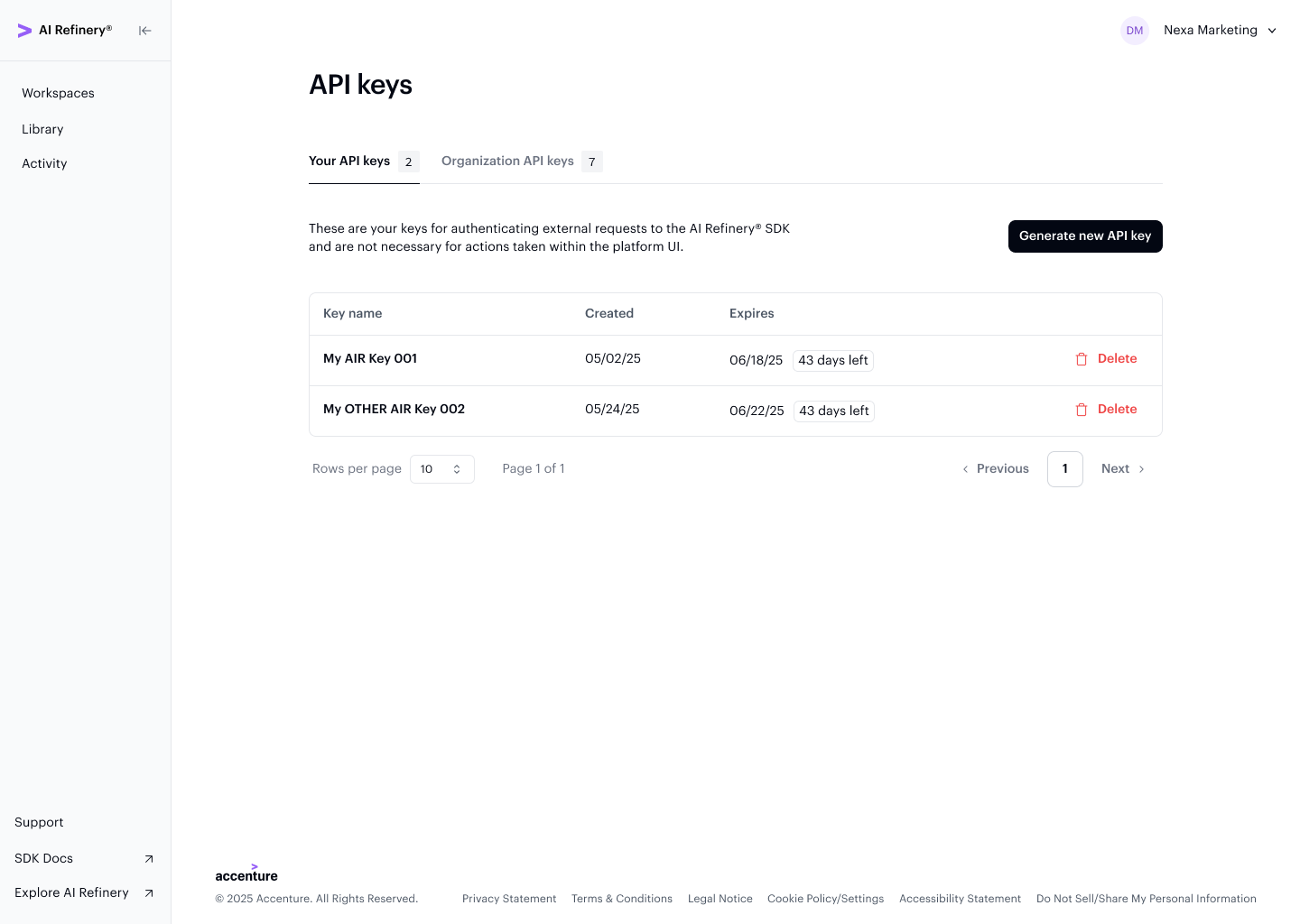
The API keys page lists all your personal keys along with their creation date, expiry, and permission level. Use the Generate new API key button to create a new one.
Key Details
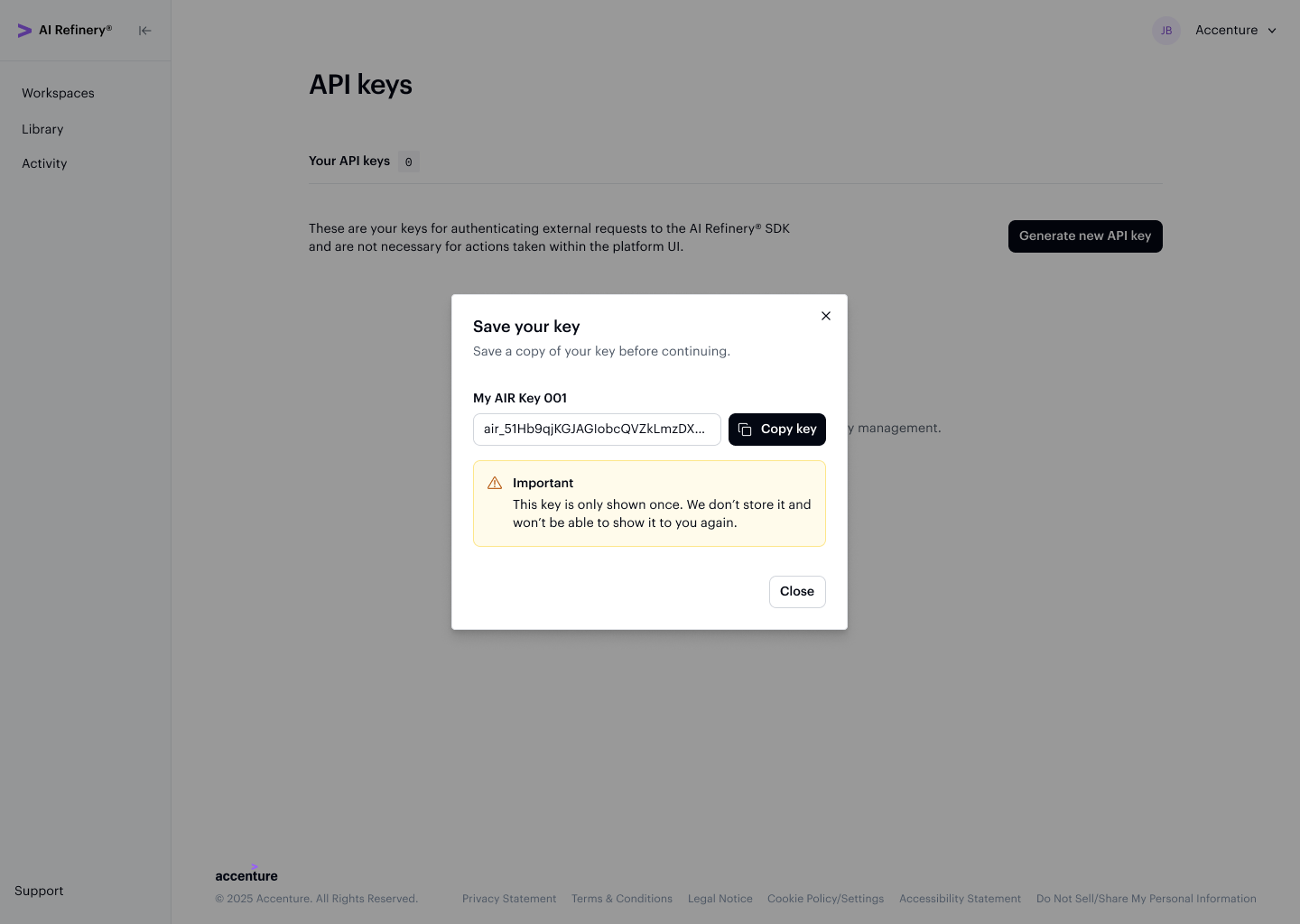
- Shown only once — API key credentials are displayed only upon creation and must be copied and saved outside the platform for future reference.
- Auto-expiry — Upon creation, API keys are automatically set to expire after 90 days. When an API key expires, you will need to generate a new one to maintain access.
- Authentication — Include your API key credentials in API calls according to the documentation for your external environment.
After generating a key, a dialog displays the key value with a copy button. This is the only time the key is visible — it cannot be retrieved again after closing the dialog.
For more information on APIs, visit the API Reference page.
Once you have your API key, see the Quickstart Guide for a step-by-step walkthrough of how to use it with the SDK to run your first project.