Browse & Publish in the Library
The Library is a shared space within AI Refinery® Studio where you can browse and publish pre-built solutions accessible to your whole organization. The Library helps you reuse and build on existing work instead of starting from scratch.
What You Can Do in the Library
- Browse starter content — Explore pre-built teams and agents created by Accenture AI Refinery® and add them directly to your workspace
- Use org-published content — View and use teams and agents published by members of your organization
- Contribute — Publish a team or agent you've built to make it available for others in your organization
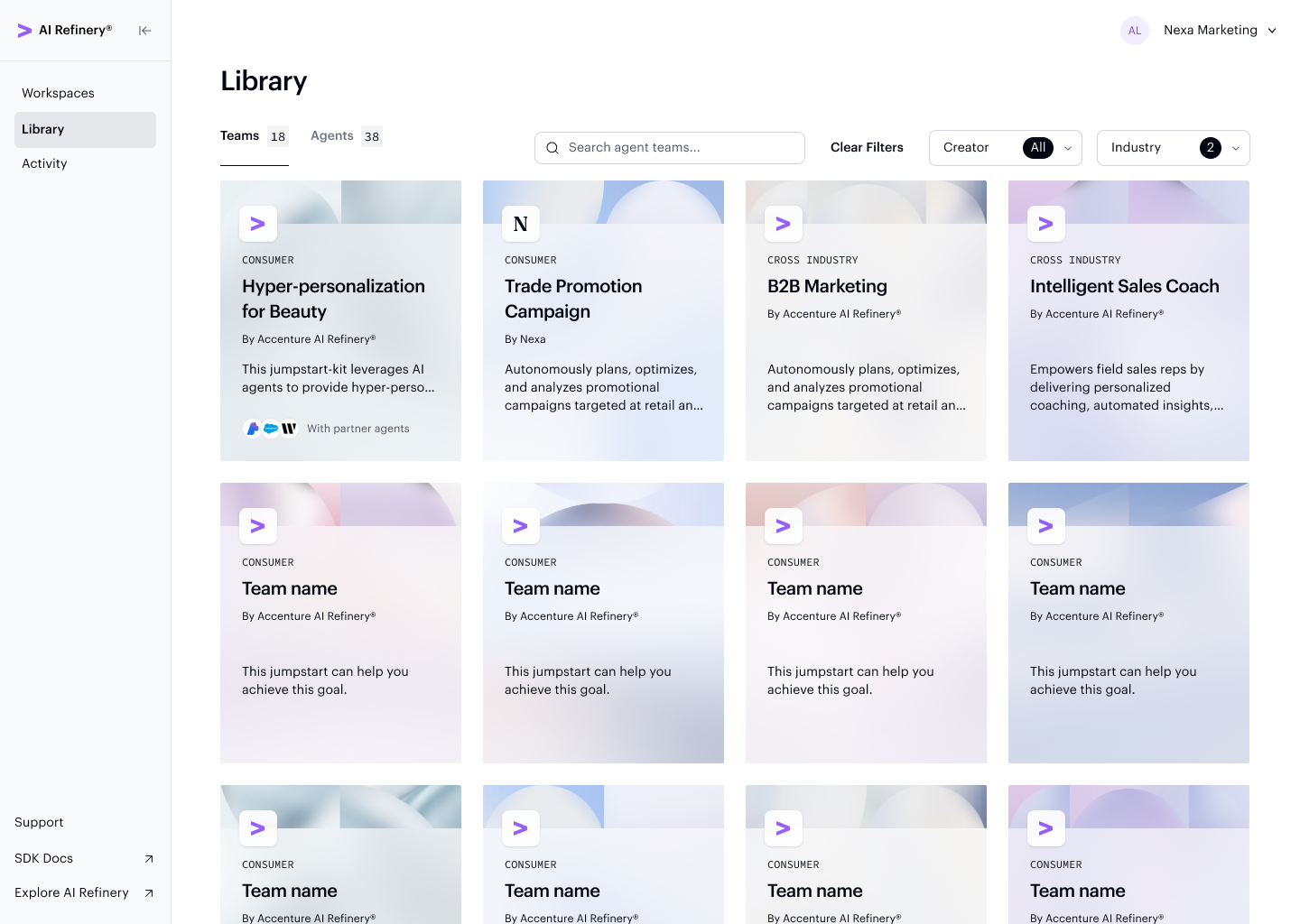
The Teams tab displays all published teams — including those from Accenture AI Refinery® and your organization — as browsable cards.
The Agents tab lets you browse individual agents by type, so you can find the right building block before adding it to a team.
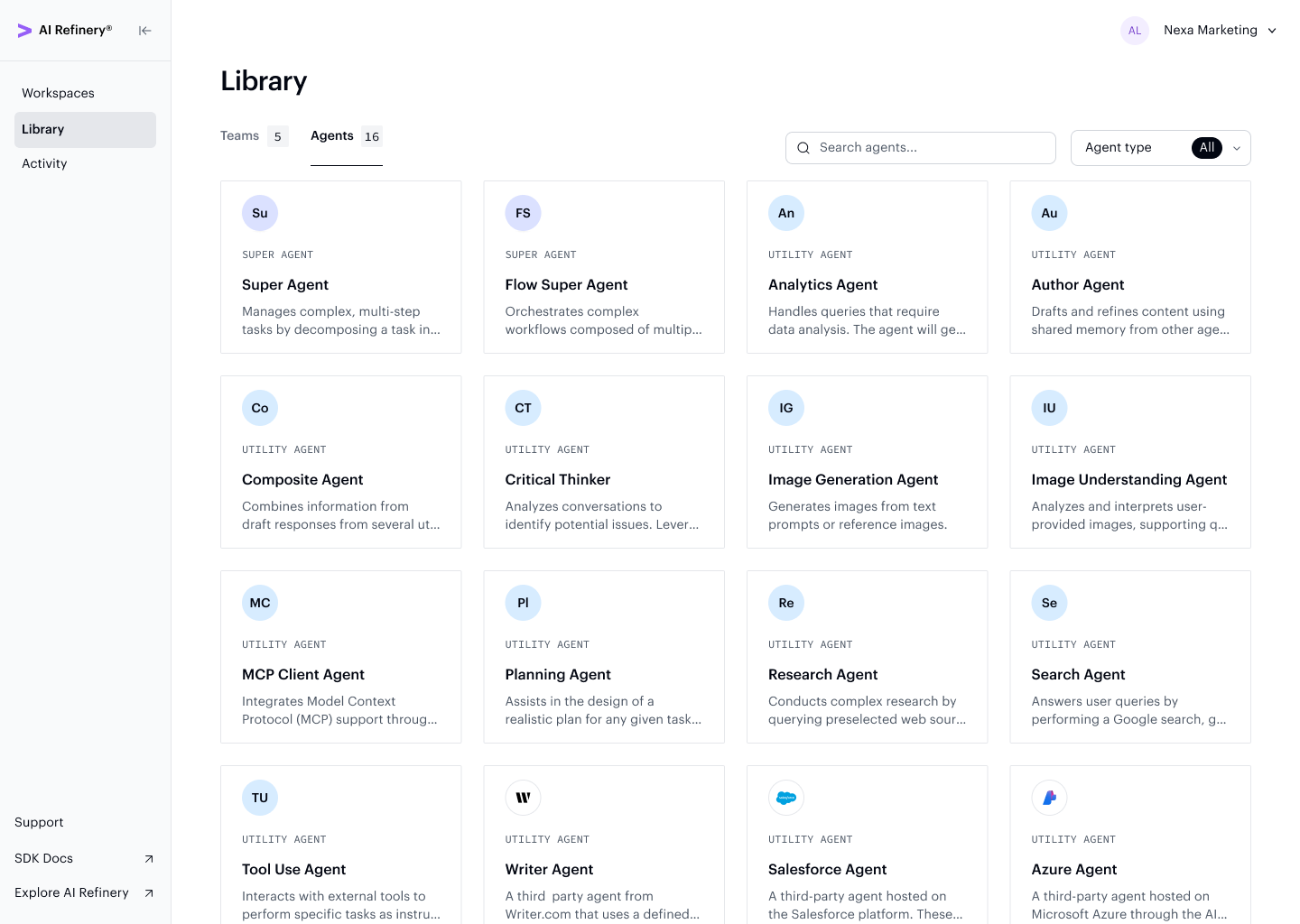
You can reference the Agent Library in the SDK to learn more about the agents available in the Studio Library.
Publish Teams to the Library
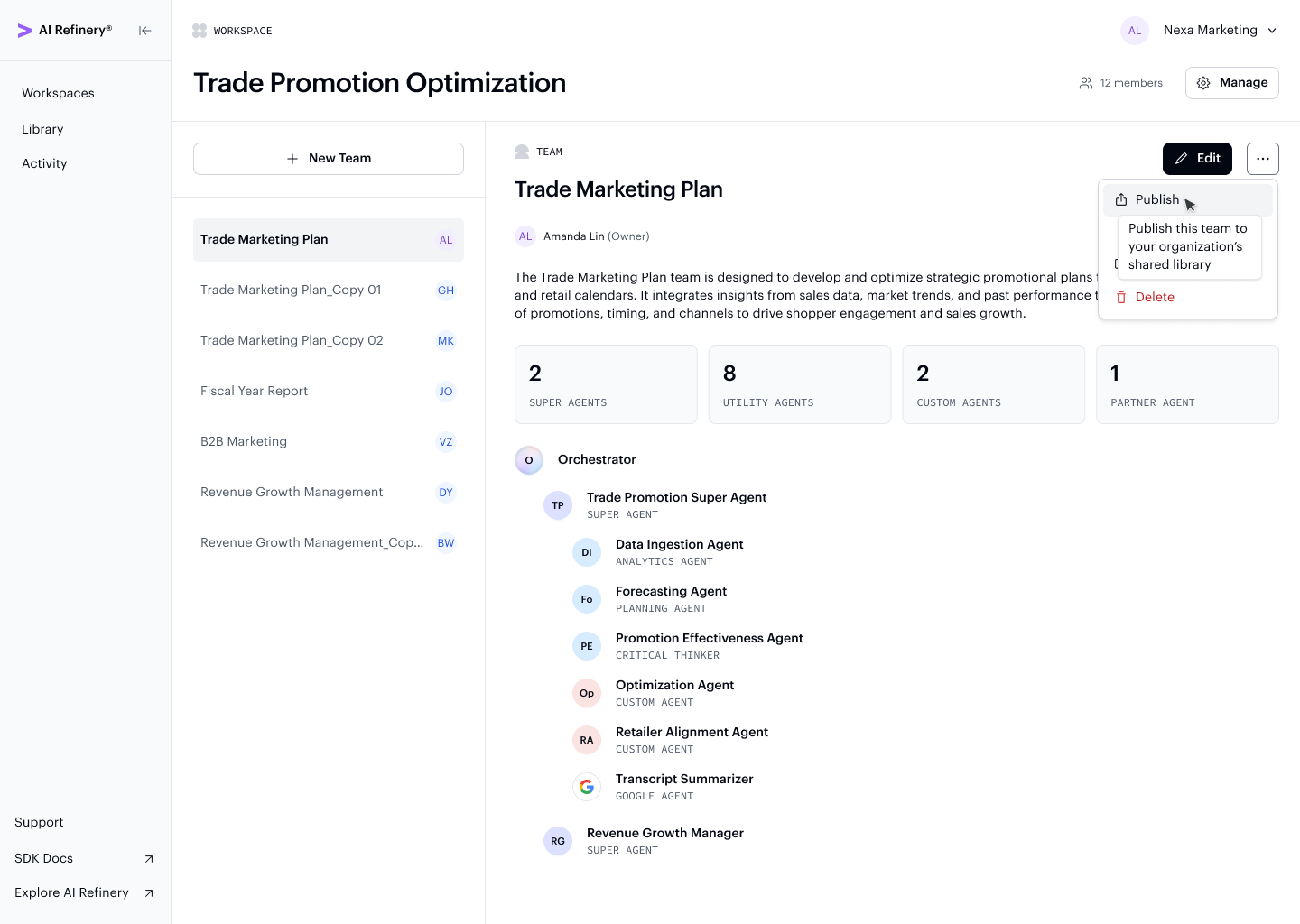
Admins and workspace owners can publish an agent team (project) to their organization's library. Publishing allows all other members of your organization to view, duplicate, and configure the team to fit their specific needs.
Use the Publish option from a team's action menu in the workspace to start the publish flow.
Requirements
Before publishing, a team must have:
- At least 1 agent other than the Orchestrator
- 0 configuration errors
What Gets Published
The published package includes:
- All connected agents and their configurations (disconnected agents are excluded)
- All custom agents and tools
- All data files
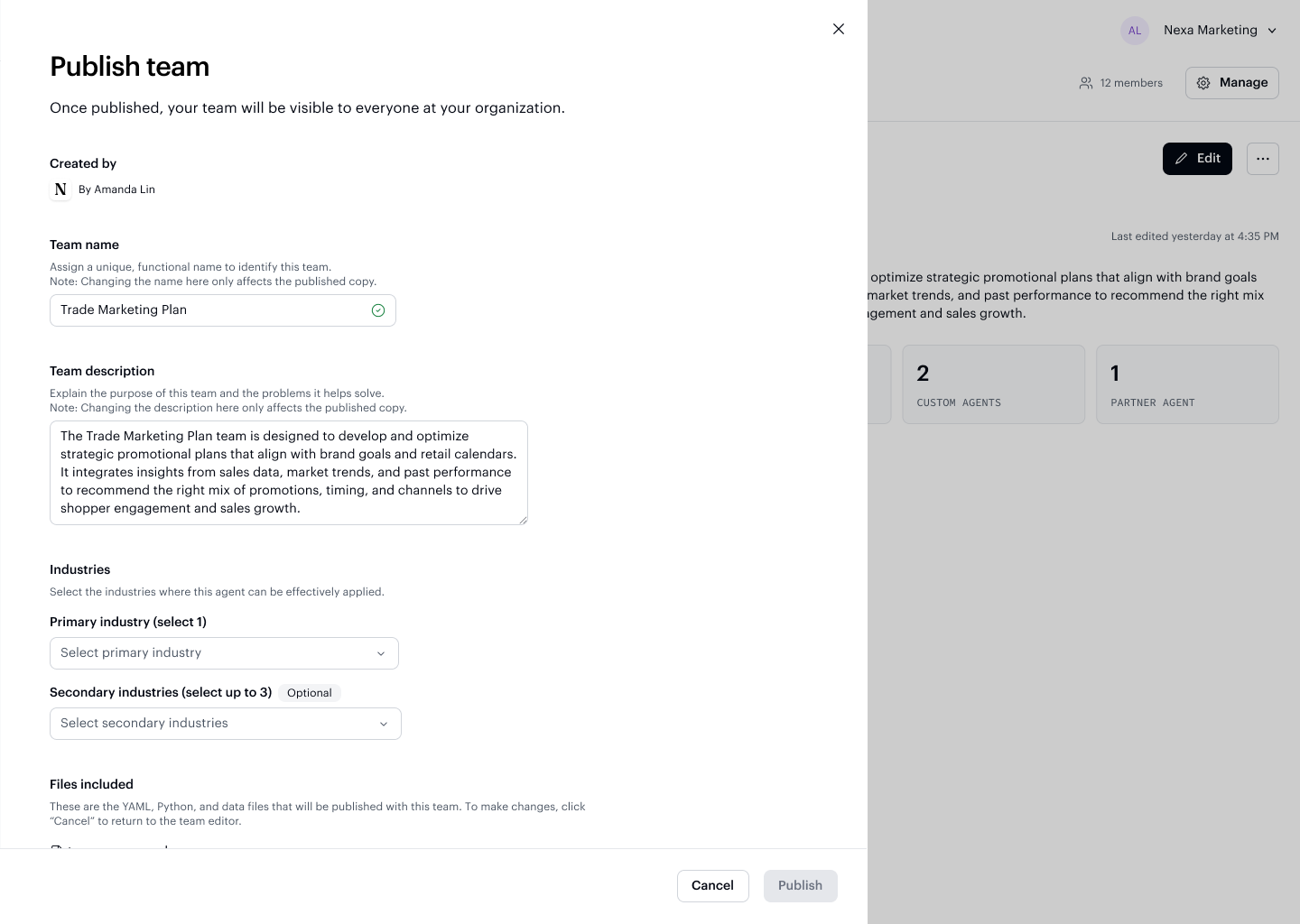
The publish dialog lets you add a description, industry tag, and use case to help other members find and understand the team.
Removing a Published Team
Only the team owner or an organization Admin can remove a published team from the library.
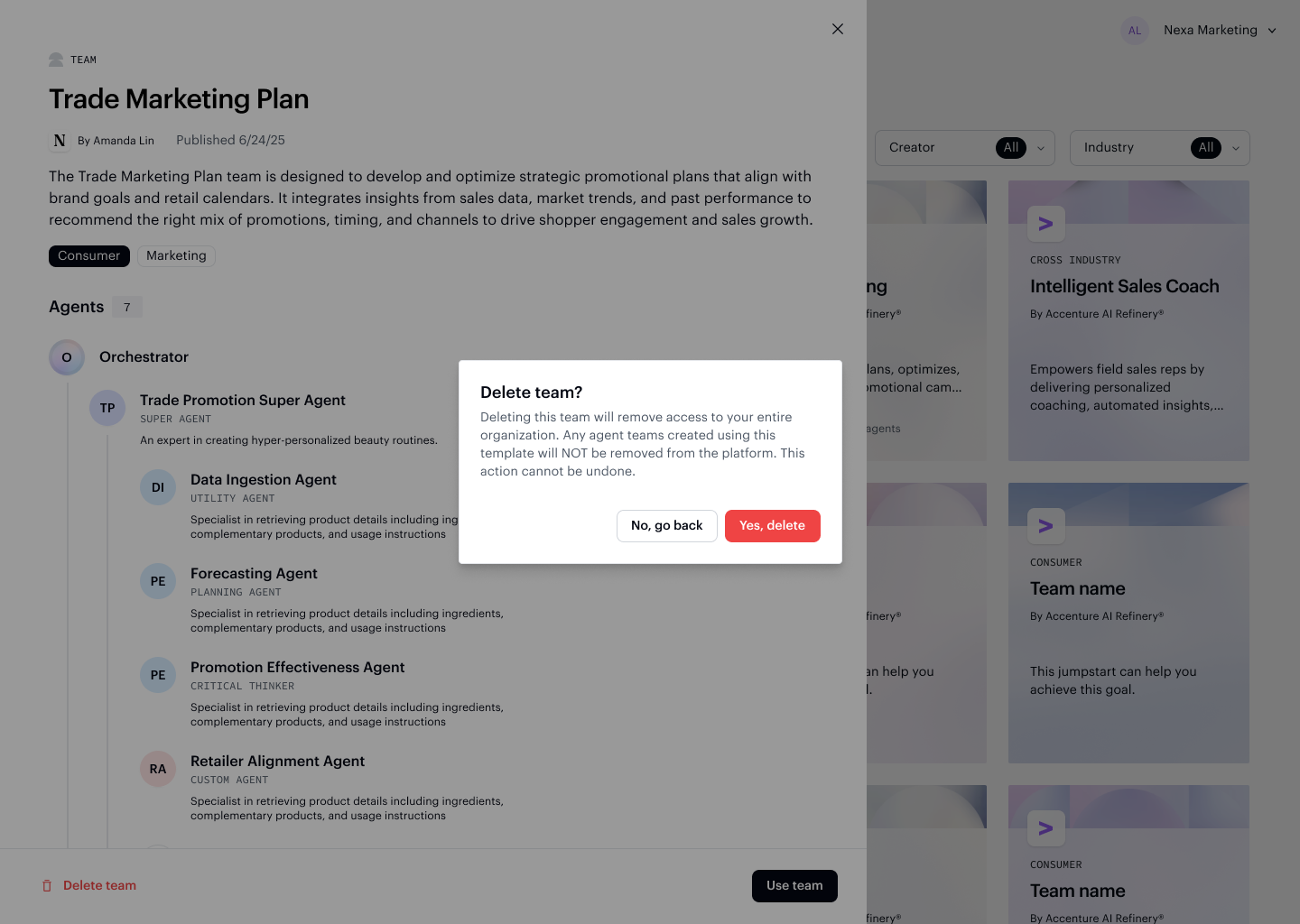
Removing a team from the library prompts a confirmation to prevent accidental deletion. Once removed, the team is no longer visible to other members of your organization.