Use Agents
Agents are the fundamental building blocks of AI Refinery® Studio. There are three main types:
| Type | Description |
|---|---|
| Orchestrator | Routes requests to the agent(s) best suited to provide a solution |
| Super Agents | Breaks down complex tasks into multiple manageable sub-tasks |
| Utility Agents | Specialized agents designed to accomplish specific tasks |
The diagram below illustrates how agents are organized hierarchically — the Orchestrator sits at the top, routing work to Super Agents and Utility Agents beneath it.
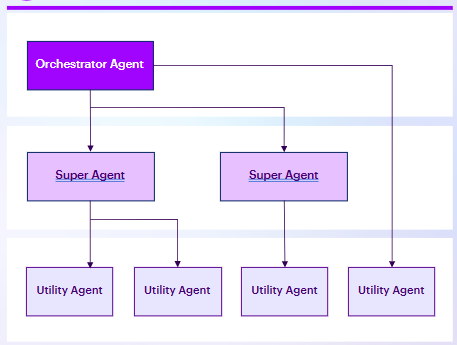
For a deeper explanation of how Orchestrators, Super Agents, and Utility Agents work together at an architectural level, see Core Concepts. For the full catalog of available agents, visit the Agent Library.
Pre-Built Agents
AI Refinery® offers a diverse selection of built-in super and utility agents engineered to streamline tasks such as analyzing data, generating images, performing web search, and more. These ready-to-use agents optimize workflows, enabling you and your team to solve bigger problems more efficiently.
Each agent in the Library has a detail card describing its capabilities and a link to its SDK documentation.
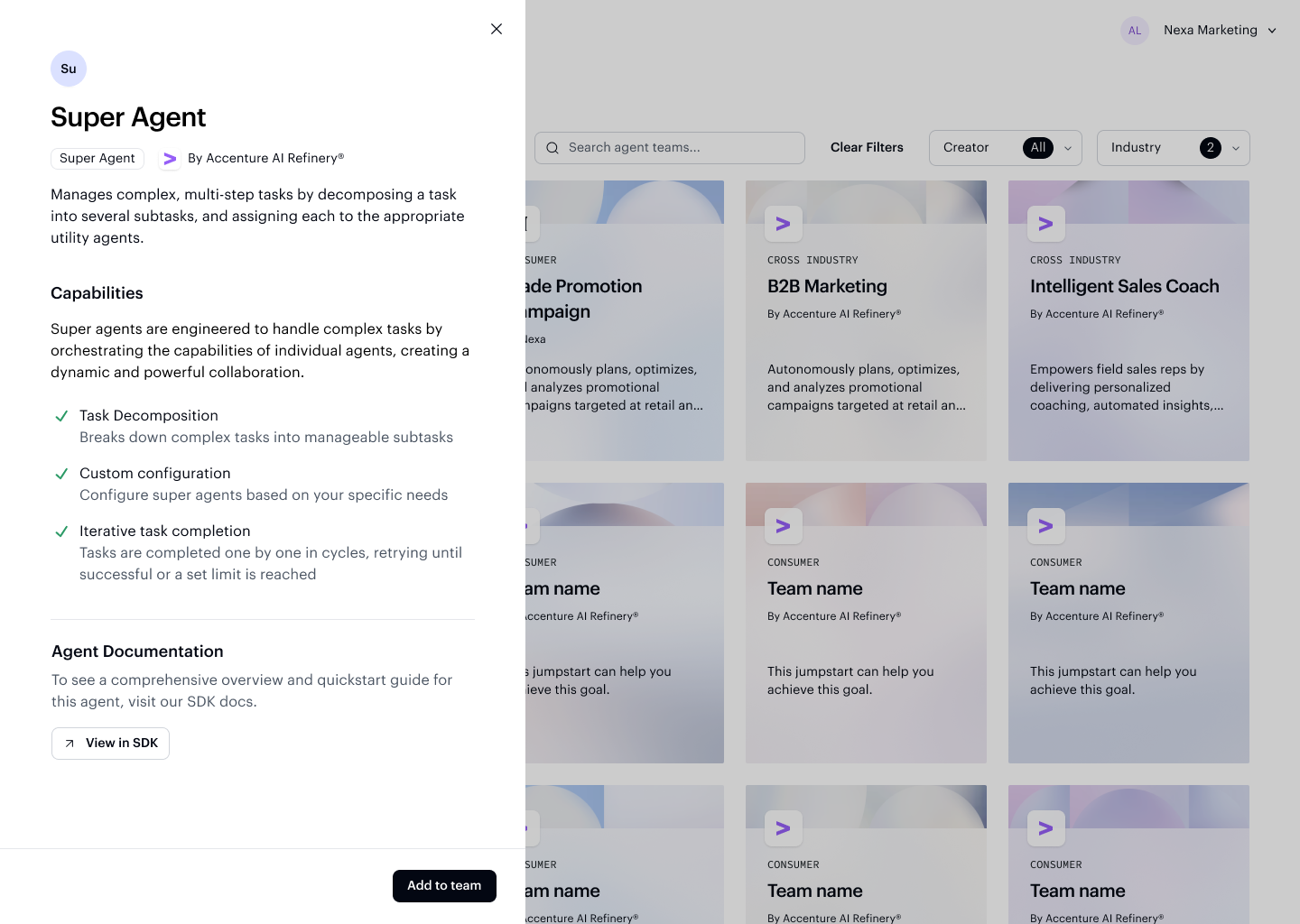
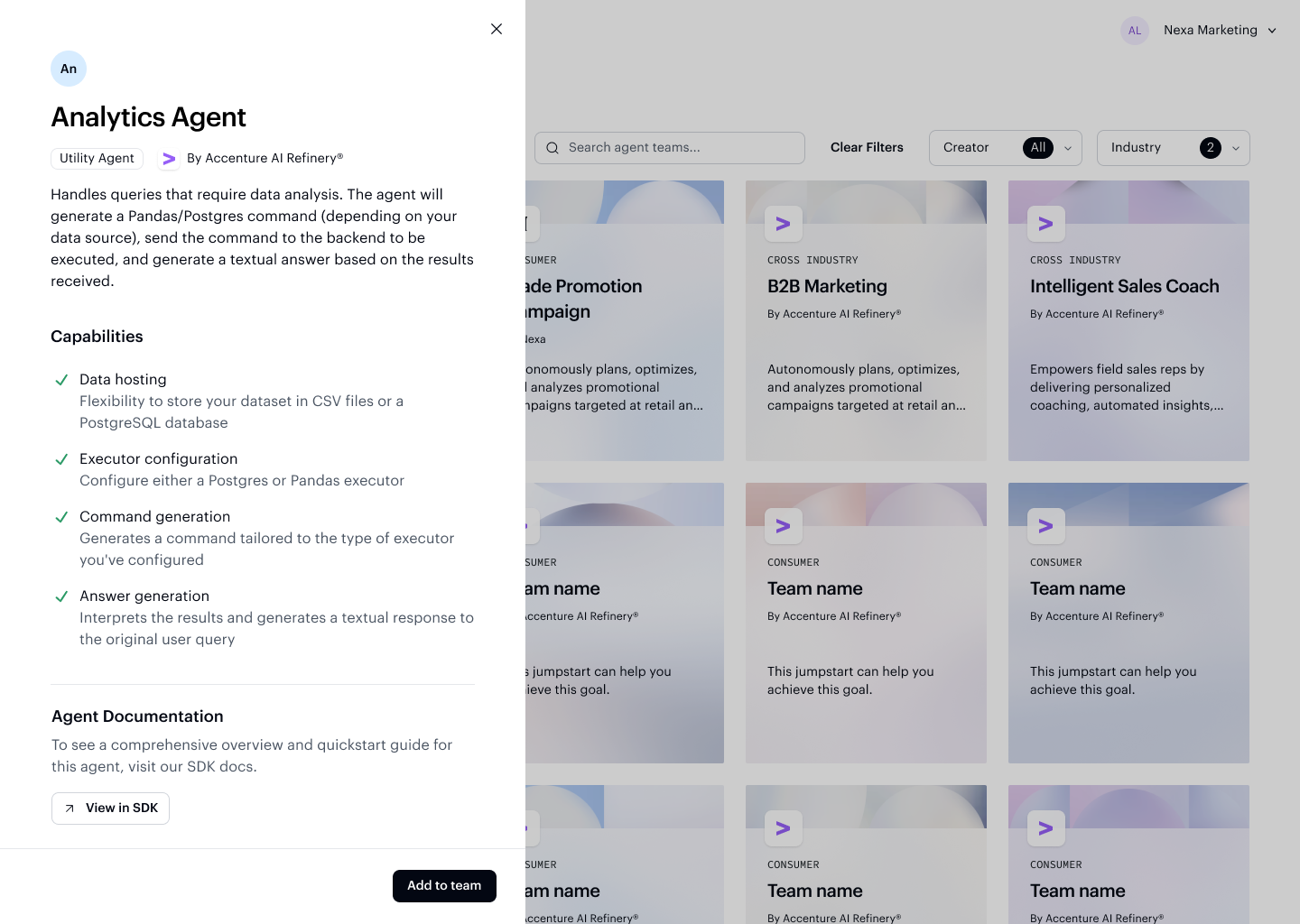
Refer to the SDK Agent Library for the latest documentation on AI Refinery® agents available in Studio.
Custom Agents
If the pre-built catalog doesn't fully meet your needs, AI Refinery® Studio lets you create your own custom agent.
With a custom agent, you can:
- Define unique logic — Write your own functionality using Python to match your specific use case
- Control behavior — Adjust settings and parameters to fine-tune how your agent responds and performs
When adding an agent to a team, the Add agent dialog lets you choose between a pre-built Super Agent, Utility Agent, or a Custom agent you define yourself.
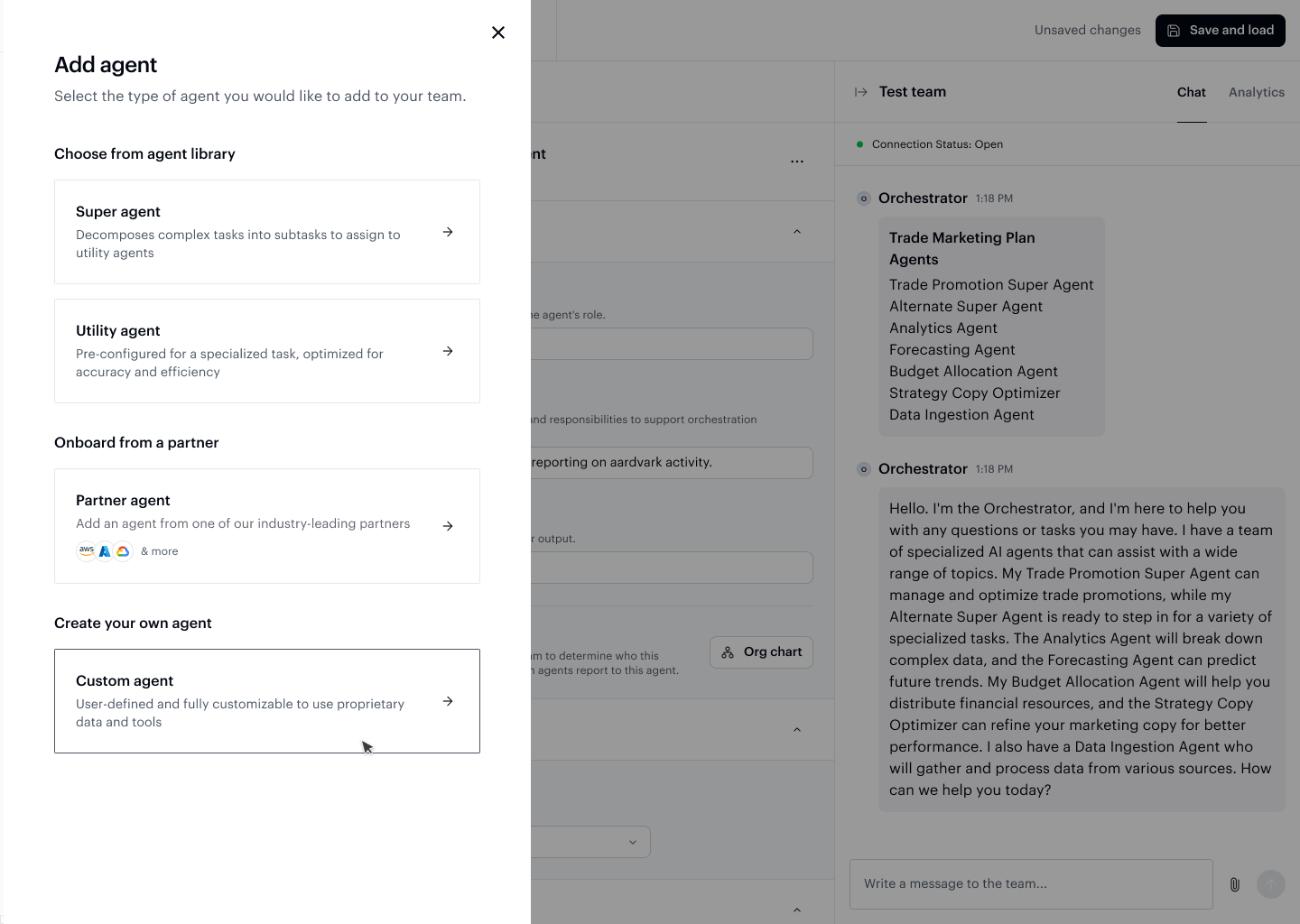
Selecting Custom agent opens a form where you provide a name, description, and optionally upload a Python file containing your agent's logic.
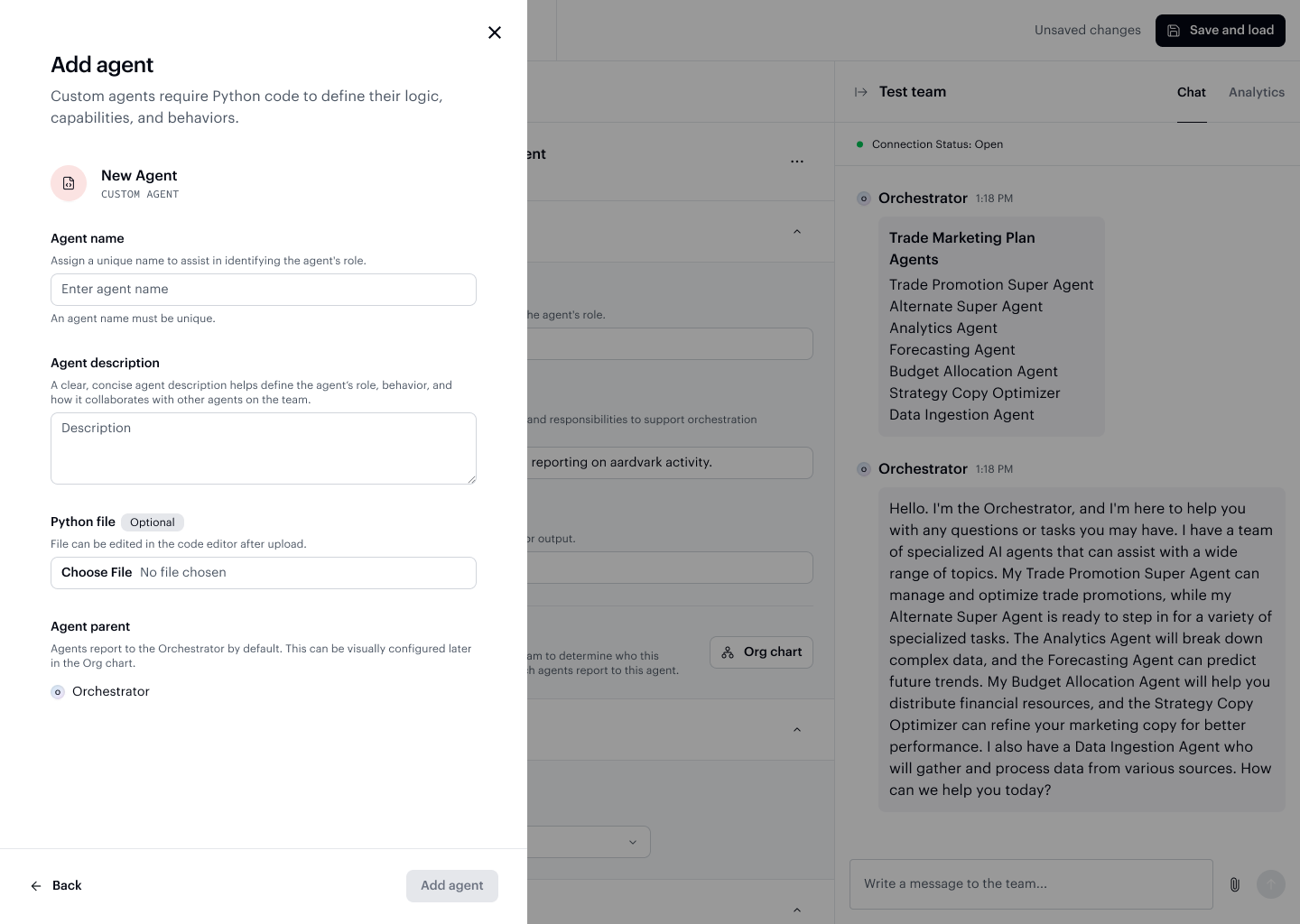
Custom agents let you extend beyond what's available in the pre-built catalog, ensuring your organization can tailor solutions to your exact requirements.
For guidance on building custom agents, refer to the SDK docs.